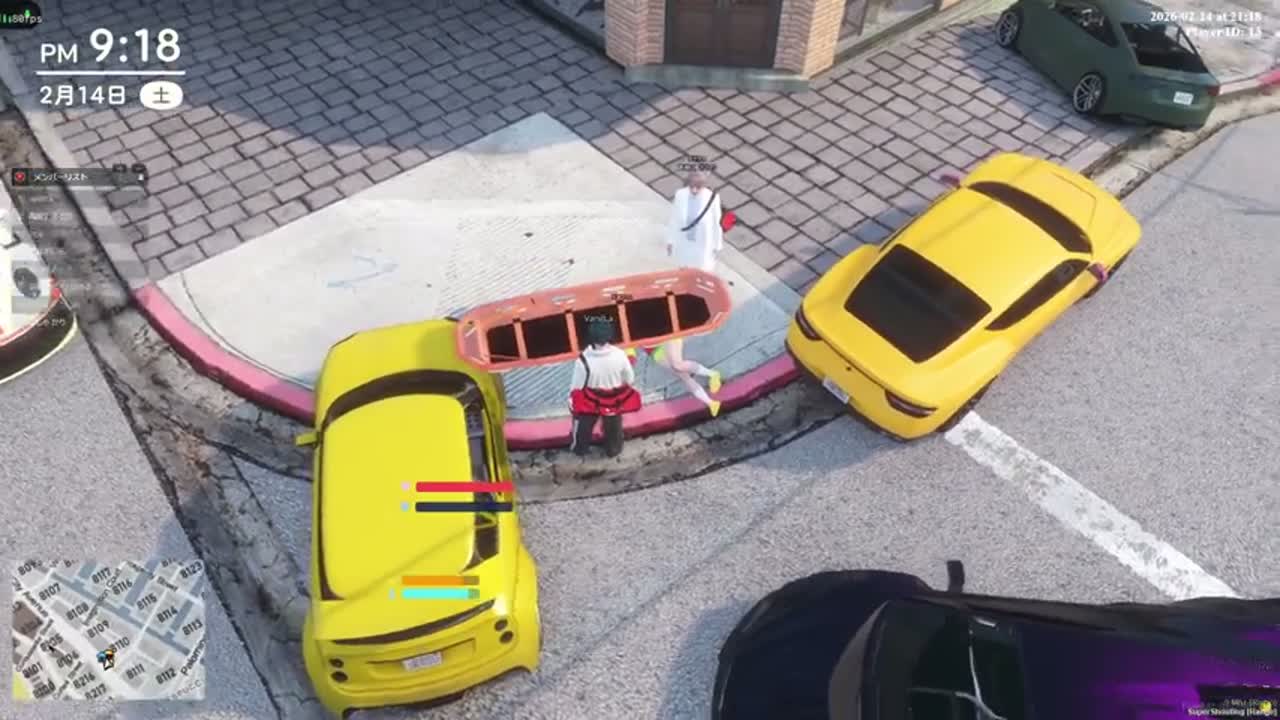
If your replay hotkey does nothing on a FiveM server, the server has almost certainly turned the editor off or never set up recording. Nothing is broken on your machine. Many RP servers set sv_disableClientReplays in their config, which kills Rockstar Editor recording for everyone connected, and there is no client-side fix. So stop relying on the editor and capture GTA RP with a screen recorder: OBS replay buffer or your GPU's instant replay. Both work on any server.
That leaves three real paths. Use Rockstar Editor if your server actually allows it. Use a replay buffer or instant replay hotkey if you want the last 60 to 120 seconds on demand. If you stream, skip in-game capture and pull the moment out of your Twitch VOD after the session, which disrupts a scene the least. Below is each path in order, plus the RP details that make these clips behave differently from kill highlights.
Why Rockstar Editor Fails on Most RP Servers
The editor's free camera flies anywhere, including through walls and into buildings where other players are mid-scene. That is a metagaming tool on a roleplay server, so many owners switch client replay recording off. Availability is a server-side setting. Same hotkey, works on one server, dead on the next.
Other servers ship a dedicated recording resource instead, so clipping runs through a server command rather than the editor. The Cfx.re thread on standalone recording scripts covers that setup. Ask in the server's Discord rather than guessing.
Even where the editor is allowed, it gets flaky on big RP servers. Heavy custom assets and escrow-encrypted resources can crash the editor or drop you from the session. Players still report editor crashes when loading FiveM recordings, as in this open CitizenFX issue. Lose a two-hour heist scene to a failed render once and you probably won't try again.
Prerequisites
Sort these before your next session, not during a scene:
- Server policy: read the rules channel or ask staff whether recording and clip posting are allowed, and whether a specific recording resource is required.
- Disk headroom: at least 50 GB free on a fast drive. Buffered capture at 1080p60 eats space, and RP sessions run long.
- A capture tool installed and tested: OBS Studio with replay buffer, or NVIDIA App instant replay on GeForce cards. AMD and Intel have equivalents.
- A hotkey you can hit without looking, bound to something you will never press in character. Keep it away from movement and radio keys.
- Audio routing that captures voice. In-game proximity voice and Discord are separate sources, and a silent RP clip is worthless.
- If you stream: VOD storage enabled on your Twitch account, so the session survives after you log off.
Audio is the whole clip
RP highlights are dialogue. Record two throwaway minutes and confirm you can hear other players' proximity voice, your own mic, and game audio at usable levels before you rely on the setup.
Method 1: Rockstar Editor, If Your Server Allows It
- Confirm with staff that client replays are enabled. If the hotkey does nothing in game, they are not.
- Open the interaction or pause menu and check that the Rockstar Editor entry is there and not greyed out.
- Start recording manually before a planned scene. The action replay buffer is the first thing to break on FiveM.
- Stop recording when the scene ends, then leave the session before opening the editor. Opening it mid-session is where disconnects happen.
- Export at the highest preset the editor will finish. If a render fails twice, cut the clip shorter and try again.
The payoff is camera control. You can reframe a conversation, follow a car, pull a wide shot of a shootout. The cost is fragility and time, so keep this for planned cinematic scenes rather than catching things as they happen.
Method 2: Replay Buffer or Instant Replay (Works on Any Server)
Default to this one. A buffer holds the last stretch of gameplay in memory and writes it to disk only when you press the hotkey, so nothing is saved permanently until something worth keeping happens.
- In OBS, enable the replay buffer under Settings > Output and set the buffer length. Follow the official setup steps instead of guessing at encoder settings.
- Set the buffer to 90 or 120 seconds, not 30. A short buffer cuts off the part where the conversation turned, and that part is the clip.
- Pick a hardware encoder (NVENC, AV1 if available, or the AMD equivalent) so the buffer costs a few frames instead of a dozen.
- Point the output folder at a drive that is not your OS drive, and let it fill with raw saves. Sorting comes later.
- Bind the save hotkey and hit it the moment a scene resolves. Hesitate and you lose the end of it.
- Rename saves between scenes, or at least note timestamps in a text file. Twenty files called Replay_2026-11-18 tell you nothing.
The OBS replay buffer documentation walks through the setup, and NVIDIA's instant replay feature does the same job with less configuration if you have a GeForce card and no reason to run OBS.
One caveat for RP: a buffer only saves your point of view. With four other characters in the scene, your angle may be the dullest one. Ask the others for their saves, or for a VOD timestamp if they stream.
Method 3: Cut Clips From Your Twitch VOD After the Session
If you stream your RP, the session is already recorded in full, in sync, with your voice and the proximity audio you heard. Nothing to remember to press mid-scene, which counts for a lot when you are in character for four hours.
- After the stream, note roughly when the scene happened. Chat replay and your own clip list are usually enough to find the window.
- Open the VOD and narrow it to that window instead of scrubbing the whole eight hours.
- Export the moment as a vertical cut for TikTok or Shorts, and keep a horizontal version for YouTube.
- Add captions. RP dialogue is the content, and most vertical viewers watch with sound off or in a noisy room.
- Trim the opening so the first three seconds set the situation: who is talking, and what is at stake.
An automated pass saves real time here. Hand a VOD link to a tool built for the GTA V and FiveM clipping workflow, pick a window from the session, and get vertical cuts back without manual scrubbing. FragCut's free first-match analysis covers one window of up to 30 minutes and returns a single 720p clip with a watermark. Watermark-free 1080p exports need a paid subscription, and paid clips burn in captions by default, which is the part that matters most for dialogue-heavy RP.
Be realistic about the limits. Automation finds moments from audio and visual signals, not story comprehension. It has no idea about your character arc, who betrayed whom, or that the quiet line at minute 14 paid off a three-week plot. Use it to surface candidates fast and keep the editorial call yourself. For the longer version of this workflow, see turning Twitch VODs into clips; for judging an automated tool before you commit to it, what actually matters in an AI clip maker runs through the criteria.
Which Method Fits Your Situation
| Method | Works when editor is disabled | Best for | Main limitation |
|---|---|---|---|
| Rockstar Editor | No | Planned cinematic scenes with camera work | Server-dependent, crashes on heavy asset loads |
| OBS replay buffer | Yes | Unplanned moments, non-streamers | Your POV only, needs setup and disk space |
| GPU instant replay | Yes | Low-effort capture on a GeForce card | Less control over encoder and audio sources |
| Twitch VOD clipping | Yes | Streamers reviewing long RP sessions | Requires a stream, VOD must be stored |
What Makes RP Clips Different
A Warzone clip can be four seconds of a triple kill and work fine. An RP clip usually cannot, and treating them the same is why most GTA RP shorts flop.
- Longer runway: 10 to 20 seconds of setup, so a stranger knows who these people are before the line that matters.
- Captions are mandatory. The content is speech, often over engine noise and sirens, sometimes through a radio filter.
- Collect multiple POVs. The best angle on a scene usually belongs to another streamer. Ask before using their footage.
- Consent and server rules apply. A clip of someone's character mid-storyline can leak plot or break rules, so check first.
- Use character names, not real ones. Keep the fiction intact in titles and captions unless everyone involved is fine with otherwise.
Mistakes to Avoid
- Assuming the editor is broken. It is usually disabled or unsupported server-side, and reinstalling FiveM changes nothing.
- Running a 30-second buffer. Too short for anything with a build-up, which covers most of RP.
- Software encoding on a loaded server. You will drop frames in exactly the scenes you wanted.
- Leaving proximity voice out of your audio setup, then finding out the other character is inaudible.
- Posting 90 seconds with no captions and no context in the first three seconds.
- Clipping someone else's ongoing storyline without asking. Fastest way to stop getting invited to scenes.
Expected Outcome
Once this is set up, a four-hour RP session should yield two to five usable clips for about 20 minutes of work after you log off, instead of an evening of scrubbing. Buffer saves give you raw 1080p60 files to trim yourself. The VOD path gives you vertical cuts with captions, ready to upload.
A clip that performs usually runs 25 to 60 seconds, opens on the line or action that creates tension, and keeps readable captions throughout. Nothing like a kill compilation, which is the point.
Troubleshooting
| Problem | Likely cause | Fix |
|---|---|---|
| Replay hotkey does nothing in game | Server disabled client replays | Use OBS replay buffer or instant replay instead; ask staff if a recording resource exists |
| Editor crashes on export | Heavy or encrypted custom assets in the recording | Render a shorter section, lower the export preset, or switch to screen capture |
| Disconnected when opening the editor | Opening the editor while still connected | Leave the session first, then open the editor |
| Clip has no other player's voice | Proximity voice on a separate audio device or not captured | Add the voice output as its own audio source and re-test before the next session |
| Buffer save is cut off at the start | Buffer length too short | Raise it to 90 to 120 seconds |
| Heavy frame drops while recording | Software encoding, or capturing at full resolution and framerate | Switch to hardware encoding and cap the recording framerate |
| VOD is gone when you go to clip it | VOD storage not enabled or past the retention window | Turn on VOD storage and pull clips within a few days of the stream |
Keep the raw files for a week
RP plots develop. A scene that looked unremarkable on Monday often turns out to be the setup for something worth posting by Thursday, so don't delete saves the same night.
Turn a long RP session into vertical clips
Paste a Twitch VOD link, pick a window from the session, and get 9:16 cuts back without scrubbing the whole stream yourself.
See the GTA RP clipping workflowFAQ
Why does Rockstar Editor not work on FiveM RP servers?
Many RP servers disable client replay recording in their server config, because the editor's free camera can look through walls and scout other players mid-scene. It is a server-side setting, so nothing on your own PC will re-enable it. Use a screen recorder instead.
What do GTA RP players use to clip FiveM moments?
Mostly OBS replay buffer or their GPU's instant replay, since both work regardless of server settings. Streamers often skip in-game capture and cut clips from their Twitch VOD after the session, where the audio and timing are already in sync.
How long should a GTA RP clip be?
Usually 25 to 60 seconds, longer than a typical shooter highlight. Dialogue needs setup, so budget 10 to 20 seconds at the start to establish who is involved and what is at stake before the payoff.
Do I need permission to clip other players in an RP scene?
Check your server's rules, and ask the other players when a clip exposes an ongoing storyline or puts their character in a bad light. Many servers have explicit policies on clip posting, and ignoring them is a quick way to lose access to scenes.
Can an AI clip tool find RP story moments automatically?
It can surface candidate moments from audio and visual signals, like raised voices, gunfire, or sudden action on screen, which cuts review time a lot. It does not understand plot, character relationships, or which quiet line was the payoff, so the editorial decision stays yours.


