Twitch Emote Maker
Turn a screenshot, a webcam photo or a moment from a video into a Twitch emote. Pick the frame, crop it square, choose a shape and download.
An image, or a short MP4 / WEBM / MOV clip · stays in your browser, nothing is uploaded
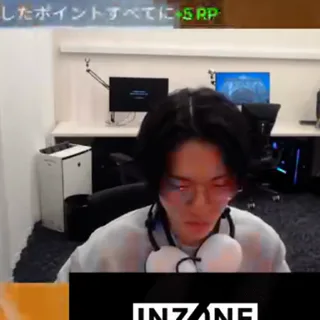
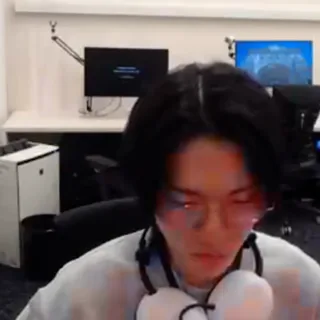
Emotes straight from your stream
The free maker above saves a still PNG from any image or video. On a paid plan, FragCut makes emotes from the highlight clips it cuts out of your streams, with two extras.
Animated emotes from your highlights
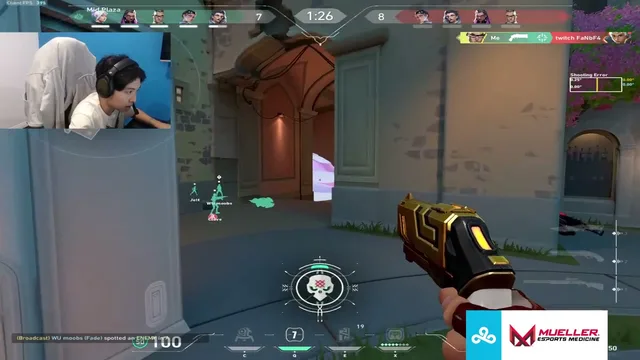
- Pick 1 to 3 seconds from any clip FragCut made for you.
- Remove the background in one click, so only you are left.
- Export a GIF that fits Twitch’s size limits, plus all three sizes.
Turn your face into a cartoon emote






- Choose a frame from your clip and a style: Cute, Meme, Pixel, Anime, 3D or Cartoon.
- You get a transparent emote back, ready to crop and export.
- Creator includes 10 a day, Pro includes 30 a day.
How to make a Twitch emote
1
Add an image or video
Drop in a PNG, JPG or a short MP4, WEBM or MOV clip. Everything stays in your browser.
2
Pick the moment and crop
For a video, slide to the frame you want. Then drag the square over your face or the action and pick Square, Rounded or Circle.
3
Download and upload
Save the 112 px PNG, or a zip with 112, 56 and 28 px, and upload it in your Twitch Creator Dashboard.
Reactions chat actually uses
The emotes people spam are reactions they recognize in a split second, even at 28 px next to a line of chat.
- Big faces: shock, laughing, rage, a smug grin. Your webcam is the best source.
- One clear subject. Crop tight so the face fills most of the square.
- Strong contrast on both dark and light chat. Check both previews before you download.
- Leave words out, or keep it to one short bold word.
Stream chat
mod_kai: no way
viewer42: LMAO
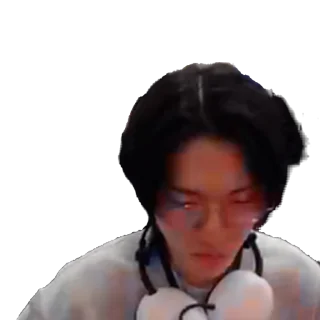
Lose the room behind you
Twitch asks for emotes on a fully transparent background. If your frame still has a room or a game behind you, deal with that before you upload.
- Start from a PNG that already has the background removed.
- Circle and Rounded shapes give a sticker look, but the background inside the shape stays.
- On a FragCut plan, remove the background around you in one click, straight from your stream clips.
Upload it, then make it move
In your Creator Dashboard, add the 112 px PNG to an emote slot and Twitch makes the smaller sizes for you.
- One 112 px PNG is enough; the resizer makes 56 and 28 px if you upload them by hand.
- Twitch’s Easy Animate turns a still PNG into an animated emote with effects like Shake, Spin and Roll.
- Want motion from real footage? FragCut plans export GIF emotes from your clips.
Creator Dashboard · Emotes
56px
28px
Easy Animate
What Twitch needs from an emote
Emotes are square PNGs on a fully transparent background, shown at 112, 56 and 28 px. Upload one 112 px PNG and Twitch resizes it for you.
| Type | Format | Background | File size |
|---|---|---|---|
| Static emote | Square PNG | Fully transparent | Up to 1 MB |
Need exact sizes for manual upload, or have finished art to resize? Use the Twitch emote resizer.
Ways to make a Twitch emote
Pick based on whether you want your own face and moments, or original artwork.
| Method | Best for | Animated | Background removal | Cost |
|---|---|---|---|---|
| This page | A still emote from any image or video frame | No | No | Free |
| FragCut plan | Emotes from your stream highlights, plus 6 AI styles | Yes, GIF | One click | Creator or Pro plan |
| Design app | Drawing or editing art yourself | With extra work | Manual | Free to paid |
| Emote artist | Original illustrated emotes | Often extra | Included | Paid per emote |
Already have finished art and only need the sizes? Use the emote resizer →
If something goes wrong
- “Your browser couldn’t open that file”
- Some phone videos use formats a browser can’t read. Try an MP4, or take a screenshot of the moment and upload that.
- The frame slider is jumpy
- Long videos can only jump to certain points. Trim the clip to the moment first, or upload a screenshot.
- Twitch won’t accept the background
- Twitch requires a fully transparent background. Start from a PNG with the background removed, or use background removal on a FragCut plan.
- The emote is hard to read in chat
- Crop tighter and check the 28 px preview. Faces with big expressions read best.
FAQ
Is this Twitch emote maker free?
Yes. Making and downloading still PNG emotes is free, with no account and no watermark.
Can I make an emote from a video?
Yes. Upload a short MP4, WEBM or MOV clip, slide to the frame you want and crop it. The free maker saves a still PNG.
Can I make animated emotes?
Not on this free page. On a FragCut plan you can make GIF emotes from the highlight clips FragCut cuts from your streams. You can also animate a still PNG with Twitch’s Easy Animate.
Can it remove the background?
The free maker doesn’t remove backgrounds, so start from a PNG that is already transparent. Paid plans remove the background around you in one click.
What are the AI emote styles?
On a paid plan you can turn a frame from your clips into a Cute, Meme, Pixel, Anime, 3D or Cartoon emote with a transparent background. Creator includes 10 a day and Pro includes 30 a day.
Do you upload my image or video?
No. The free maker works entirely in your browser. Only the paid AI styles send the chosen frame to our AI image-processing provider, as described in the privacy policy.
Can I use someone else’s face or art?
Only with their permission. Twitch removes emotes that break its guidelines or someone else’s rights.
Let FragCut find your best reactions
Paste a Twitch or Kick VOD. FragCut cuts the highlights into vertical clips you can post or turn into emotes. Your first match is analyzed free.