Twitch Emote Resizer
Drop in your emote art and get the 112, 56 and 28 px PNGs Twitch asks for. See how it looks in chat before you upload it.
PNG, JPG, WEBP or GIF · stays in your browser, nothing is uploaded
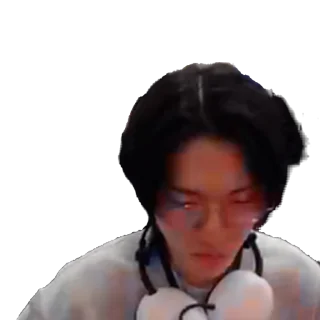
How to resize an emote for Twitch
1
Add your image
Drag a PNG, JPG, WEBP or GIF onto the box above. It opens in your browser and never leaves your device.
2
Make it square
Fit keeps the whole image and pads the sides with transparency. Crop lets you drag a square over the part you want.
3
Download
Save the 112 px PNG, or grab a zip with all three sizes if you upload them one by one.
Fit or crop, your call
Twitch emotes are square, but most art isn’t. Choose how the resizer squares it before it makes the three sizes.
- Fit keeps the whole image and pads the sides with transparency.
- Crop lets you drag a square over the part you want, like a face or a logo.
- Pick Square, Rounded or Circle for the final shape.
Dark chat
viewer42: gg
Light chat
viewer42: gg
What chat sees: 28 px
Readable where chat sees it
Most viewers see your emote at 28 px next to a line of chat. Fine detail disappears at that size, so preview it before you upload.
- Crop tight. Leave little empty space around the face or object.
- Use thick outlines and strong contrast, so it reads on dark and light chat.
- Skip small text. A bold word can work at 112 px but rarely at 28 px.
Every size in one download
Open your Creator Dashboard, go to Viewer Rewards, then Emotes, pick a slot and upload. With automatic resizing the 112 px PNG is all you need.
- Switching to manual mode? The zip has 112, 56 and 28 px files for each box.
- Twitch’s Easy Animate can turn an uploaded PNG into an animated emote with effects like Shake, Spin and Roll.
- Files are named by size, so they’re easy to match in the uploader.
Twitch emote size and file rules
Twitch shows emotes at three sizes. You can upload one large square image and let Twitch resize it, or upload each size yourself.
| Type | Sizes | Format | File size | Background |
|---|---|---|---|---|
| Static emote | 112×112, 56×56, 28×28 px (or one square image 112 to 4096 px) | PNG | Up to 1 MB | Fully transparent |
| Animated emote | Same three sizes | GIF, up to 60 frames | Up to 512 KB each when uploaded by size | Fully transparent |
| Subscriber badge | 18×18, 36×36, 72×72 px | PNG | Up to 25 KB | Transparent |
Sizes and limits come from Twitch’s Help Center. Twitch updates its rules from time to time, so check the uploader if something gets rejected.
Don’t have the art yet?
If you are starting from a screenshot, a webcam photo or a short video, the emote maker lets you pick the frame, crop it square and choose a round or rounded shape.
Ways to resize Twitch emotes
Any of these gets you the right sizes. The difference is how many steps it takes.
| Method | Best for | Steps | Install | Cost |
|---|---|---|---|---|
| This page | Finished art that needs Twitch sizes | Drop the image, download | Nothing | Free |
| Image editor | Editing the art itself | Resize and export each size by hand | Desktop app | Free to paid |
| General image resizer | Any image size | Set each size, download one at a time | Nothing | Usually free |
| Emote artist | Original art | Brief, wait, review | Nothing | Paid per emote |
If something goes wrong
- My emote still has a solid background
- Twitch requires a fully transparent background. Use a PNG with the background removed. JPG files can’t be transparent.
- My GIF stopped moving
- This page keeps the first frame of a GIF and saves it as a PNG. Upload the original GIF to Twitch as an animated emote instead.
- “Your browser couldn’t open that file”
- The file may be damaged or in a format your browser can’t read. Export it again as a PNG or JPG and retry.
- The emote looks blurry
- Start from art that is at least 112 px wide. Small images get stretched when they are resized up.
- The sides look empty
- Fit pads a non-square image with transparent space. Switch to Crop and drag the box over the part you want.
FAQ
What size are Twitch emotes?
Twitch emotes are square and shown at 112×112, 56×56 and 28×28 px. You can upload one square image between 112 and 4096 px and let Twitch resize it, or upload all three sizes yourself.
Is this emote resizer free?
Yes. It is free, needs no account and adds no watermark.
Do you upload my image?
No. Your image is resized in your browser and saved straight to your device.
Which file types can I use?
PNG, JPG, WEBP and GIF. You always get PNG files back, because that is what Twitch wants for static emotes.
Do I need all three sizes?
Not with automatic resizing: the 112 px PNG is enough. The zip with 28, 56 and 112 px is for manual uploads.
Can I resize an animated GIF emote here?
Not yet. This page saves a still PNG from the first frame. Animated emotes need a GIF of up to 60 frames.
Why does my image need a transparent background?
Twitch requires emotes to have a fully transparent background, so they sit cleanly on both dark and light chat.
Can I use the PNG for Discord or 7TV?
Usually, yes. Both accept square PNG emotes. Check each site’s own size limit before you upload.
Can I make sub badges here?
Sub badges use different sizes: 18, 36 and 72 px PNGs under 25 KB. The emote sizes on this page won’t match the badge uploader.
Get emote-worthy moments from every stream
FragCut finds the best moments in your Twitch or Kick VODs and cuts them into vertical clips. Your first match is analyzed free.