

Twitch
Clip Maker
Why Choose FragCut for Twitch
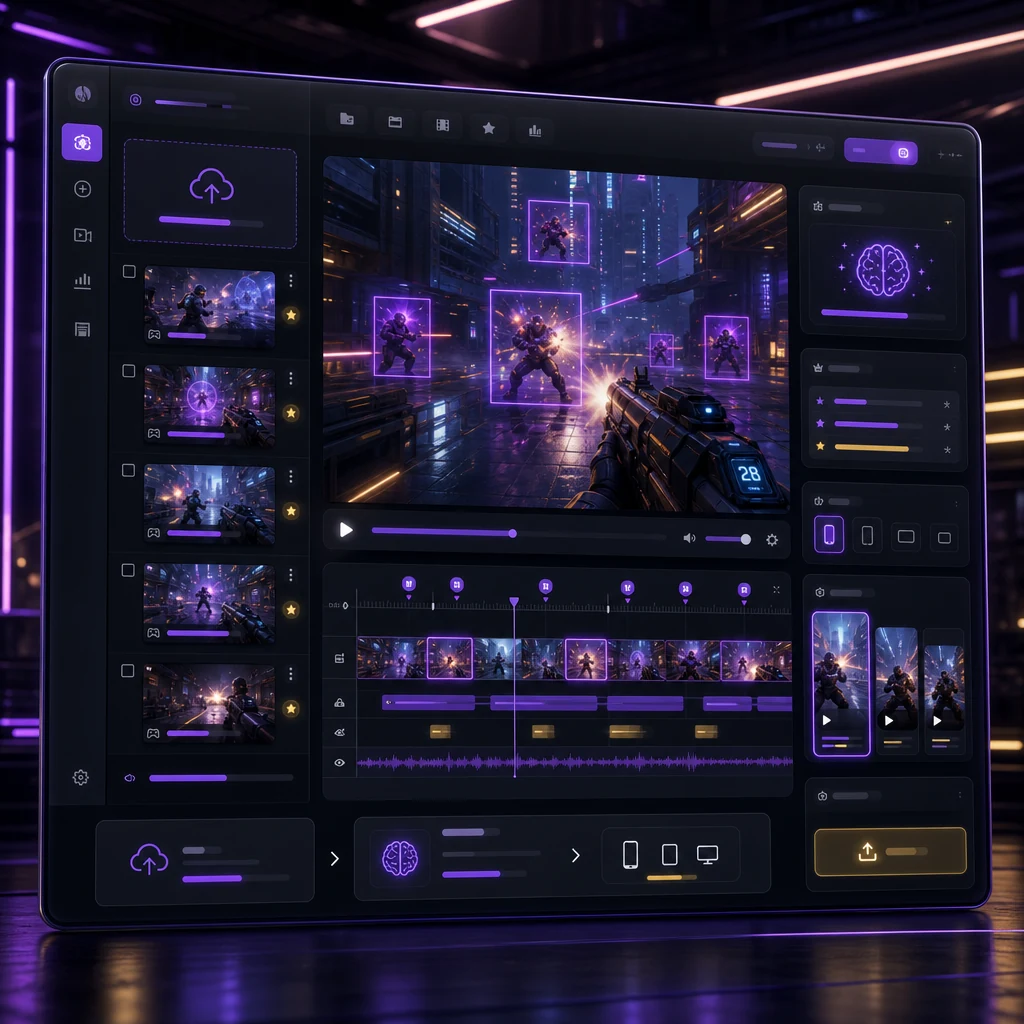
Built for Twitch VODs
Paste a Twitch VOD URL or upload gameplay. FragCut analyzes long streams after you go offline, so you do not need a local recorder running while you play.
AI Finds the Moments
The AI looks for kills, aces, clutches, team wipes, reactions, and other highlight signals instead of making you scrub through hours of footage by hand.
Short-Form Ready
Export 9:16 clips with captions for TikTok, YouTube Shorts, and Instagram Reels. Use it as a Twitch VOD clipper and a social clip workflow in one place.
Twitch Highlights
From Stream to Socials in 3 Steps
Upload or Import
Upload video files (MP4, MOV, WebM, MKV) or paste a Twitch URL. Supports up to 4 hours of footage.
AI Finds Highlights
The AI analyzes your gameplay, finds highlight moments, and creates vertical clips for TikTok and Shorts.
Download and Post
Review your clips and download them. Post directly to TikTok, Shorts, and Reels.
Frequently Asked Twitch Questions
What is a Twitch clip maker?
A Twitch clip maker turns stream footage into shorter clips. FragCut is an AI Twitch clip maker: paste a Twitch VOD or upload gameplay, and it finds highlight moments automatically before exporting short-form clips.
Can FragCut clip a full Twitch VOD?
Yes. FragCut can process long Twitch VODs and gameplay uploads. For Twitch URL imports, the video must be available for download, and processing time includes both download and AI analysis.
Is FragCut a Twitch VOD clipper or a live recorder?
FragCut is a Twitch VOD clipper, not a live background recorder. Medal, Outplayed, and ShadowPlay record while you play. FragCut works after the stream by analyzing existing VODs and exporting social clips.
Does FragCut make clips for TikTok and YouTube Shorts?
Yes. FragCut exports vertical 9:16 clips with captions so streamers can post highlights to TikTok, YouTube Shorts, and Instagram Reels without manually cropping every clip.
What games work best with the Twitch clip maker?
FragCut works with general gameplay and is strongest on games with clear highlight signals, especially FPS and MOBA titles such as Valorant, Counter-Strike 2, Apex Legends, Fortnite, League of Legends, and Warzone.
Comparing clipping software for Twitch? See the best Medal alternatives and Eklipse alternatives.
More AI Clip Makers
Counter-Strike 2
Overwatch 2
Delta Force
League of Legends
Dota 2
Grand Theft Auto V
Call of Duty: Warzone
Escape from Tarkov
Counter-Strike 2
Overwatch 2
Delta Force
League of Legends
Dota 2
Grand Theft Auto V
Call of Duty: Warzone
Escape from Tarkov
Counter-Strike 2
Overwatch 2
Delta Force
League of Legends
Dota 2
Grand Theft Auto V
Call of Duty: Warzone
Escape from Tarkov
Turn Your Twitch VOD Into Clips
Paste a Twitch VOD, let FragCut find the best moments, and download vertical clips ready for TikTok, Reels, and Shorts.
Start Clipping My VOD